Blog Product
Introducing Canvas AI

3 min read
Today we’re excited to announce Causal’s new Spatial Agent, a breakthrough feature that brings spatial intelligence directly to your AI canvas. From the day Causal was founded, our core vision has been to build an intuitive, powerful canvas for creatives, enhanced by AI to eliminate friction and accelerate productivity. With the Spatial Agent, we’re taking the ultimate step toward fulfilling that vision: turning the canvas into a unified workspace where AI understands and collaborates like a true canvas partner.
How to Plan a Project with Canvas AI
With the integration of an AI assistant, the possibilities of creation are truly endless. These are only but a few ways we are actively using the agent to enhance our workflow:
Collaboration
Think of the Spatial Agent as a teammate at the whiteboard with you. You bring the ideas, it helps shape them, and you both work on the same board at the same time. Teams use it as an AI whiteboard to map out product architecture, and as a Miro AI alternative for planning roadmaps that run over several weeks.
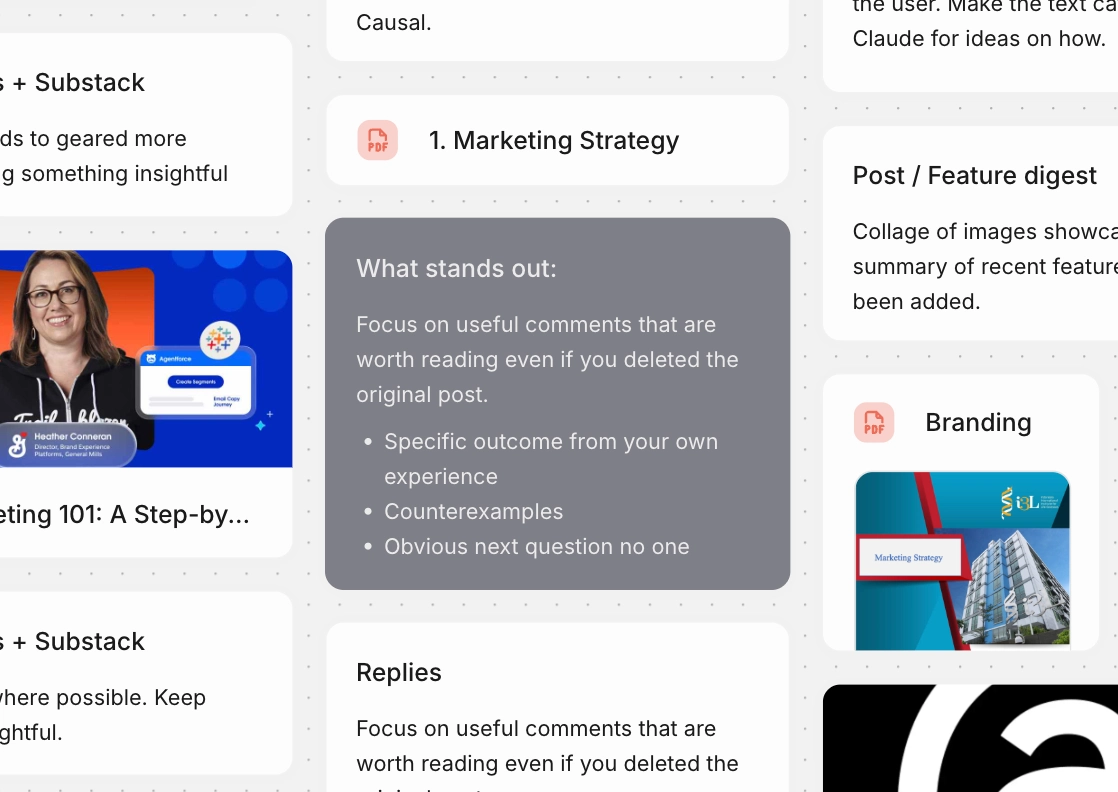
Say you’ve just finished a round of user interviews. You drop everything onto the canvas: the feedback, a few pages from a PDF, some links and your own notes. Then you ask the agent what stands out. It reads through what you’ve gathered, pulls out the main themes and writes them up beside your notes. From there you keep building together, turning those themes into a technical spec or the first draft of a plan.
Organisation
The biggest friction point on a freeform canvas is organisation. When you have infinite degrees of freedom, manually dragging, aligning, and spacing dozens of nodes becomes exhausting and breaks focus.
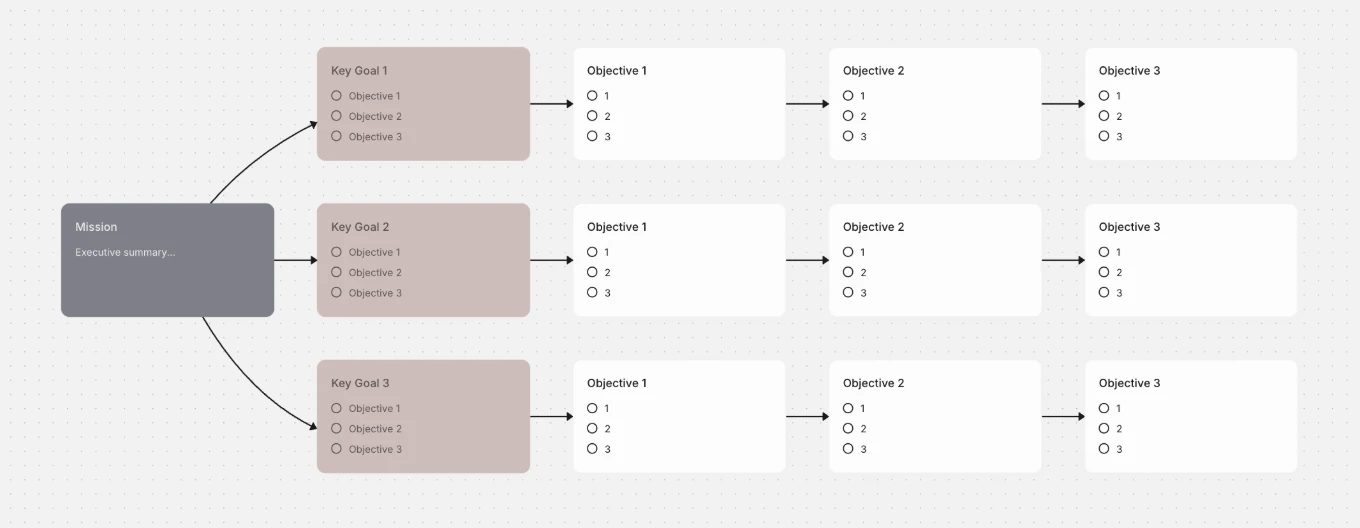
So hand the tidying to the agent. Picture the end of a brainstorm, with forty sticky notes scattered across the board. You ask it to “group these notes by theme and arrange them into a roadmap with three columns, sorted by priority.” It sorts the notes into groups, lines them up in neat columns with even spacing, and gives each group a clear heading. A few seconds later the board is ready to present, and your attention never left the ideas themselves.
Bring Your Own Agent (MCP)
We believe you shouldn’t be locked into a single model or ecosystem. Alongside the Spatial Agent, we’re announcing support for the Model Context Protocol (MCP). Now you can bring your own agent directly to Causal. Whether you are running proprietary models, open-source LLMs, or specialized fine-tuned agents, MCP gives your AI full access to Causal’s spatial tools and visual creation language.
How Does Spatial Reasoning in AI Actually Work?
Building the agent meant rethinking how an AI works with a canvas.
The agent never sees coordinates. The agent understands a board through relative positioning. When the agent looks at your board, Causal tells the agent which items are clustered together and how each group relates to the rest.
Moving things works the same way. To add a card, the agent picks something already on the board and says where the new card should go in relation to that item, for example underneath and lined up on the left. Causal then works out the exact position on screen.
We also taught the agent workflows for the things people ask for most. Ask for a roadmap and the agent sets out each stage in a sequential flow, with arrows joining each stage to the next. Ask for a mind map and the agent puts the main idea at the centre, with related ideas branching outward.
Get Started on Your Canvas
Spatial reasoning in AI is a brand-new frontier, and Causal is built to be the shared workspace where you and artificial intelligence collaborate on the same surface.
Open a new canvas in Causal today, launch the Spatial Agent, and ask it to lay out your next roadmap, research map, or brainstorming session. If you’re running custom models, connect them via MCP and start shaping your workspace in real time.